Menoodo

Move your menu from Goomer in one paste

Paste the Goomer link you already share and Menoodo reads the menu directly — every category, dish, price and photo — and shows you what it found before anything is added. Try the preview below.

Live demo

Your Goomer menu, before it becomes a Menoodo menu

Untick anything you don't want to bring over — the phone shows what would be imported.

1 · Paste your link

https://trattoriafiorella.goomer.app/menu

2 · Review what we found

10 of 10 dishes selected

3 · Your new menu
Trattoria Fiorella

Handmade pasta, a wood-fired oven and Sunday ragù.

Antipasti

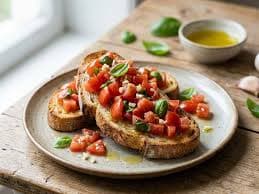
Bruschetta al pomodoro

$8

Grilled sourdough, diced tomatoes, basil

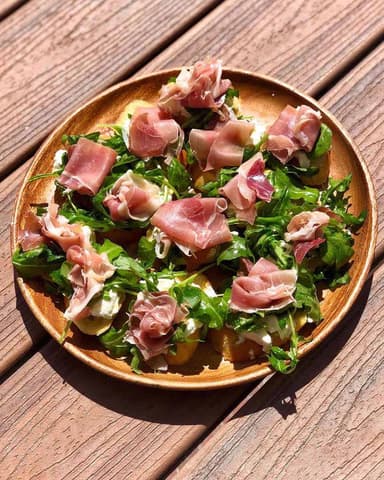
Burrata with prosciutto

$14

Arugula, olive oil, cracked pepper

Arancini

$9

Saffron rice, mozzarella heart, crisp crumb

Pasta

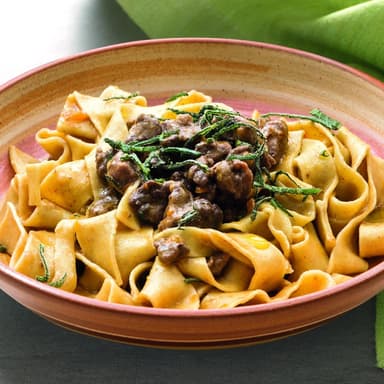
Tagliatelle al ragù

$19

Slow-cooked beef ragù, parmesan

Chef's pick

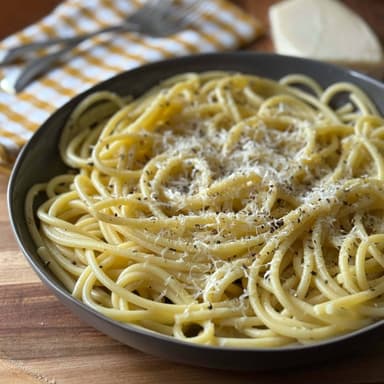
Cacio e pepe

$17

Pecorino cream, cracked black pepper

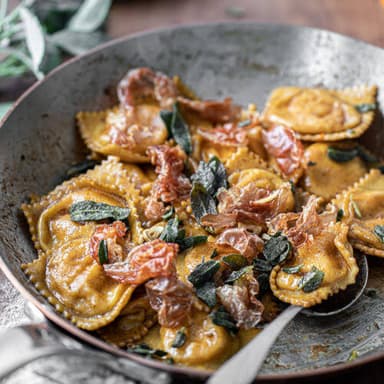
Pumpkin ravioli

$18

Sage butter, toasted hazelnuts

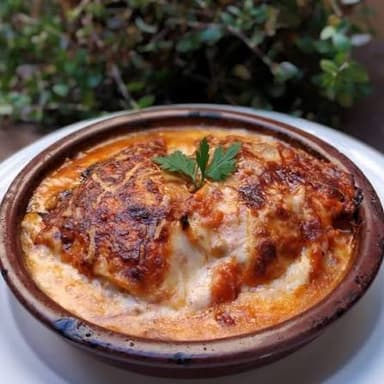
Lasagna al forno

$18

Layered ragù, béchamel, baked edges

Dolci

Tiramisù

$9

Espresso-soaked savoiardi, mascarpone

Cannoli

$7

Ricotta cream, candied orange, pistachio

Panna cotta

$8

Vanilla cream, berry coulis

Digital menu by Menoodo

How the import works

  1. 1

    Paste your Goomer link

    Any link Goomer gives you works: the restaurant subdomain, the long webmenu address or the short link printed on your QR codes. Menoodo reads the menu straight from Goomer — no export, no spreadsheet.

  2. 2

    Review before anything is added

    Every category and dish shows up ticked in a preview. Untick what you don't want, check the prices, then import. Nothing is written until you confirm.

  3. 3

    Print a QR code — or not yet

    Your menu goes live at its own link right away. Design a QR code in your colours when you're ready and keep it forever: the menu behind it is yours to edit.

What comes across from Goomer

Exactly what your Goomer link carries — read directly, not guessed by AI.

Categories, in your order

Goomer's sections become Menoodo categories in the order your menu shows them, with every dish in its section.

Prices and price options

A dish with several named prices — sizes, portions — becomes one dish with price options, shown from its lowest price. Prices are imported exactly as printed.

Photos, at full size

Each dish's photo comes across at the largest size Goomer holds, straight into your menu.

Names and descriptions

Dish names and descriptions arrive as written. Goomer doesn't publish the menu's language or currency, so those follow your restaurant settings — check them once after importing.

What you gain by switching

A menu in every language

Enable the languages your guests read and let AI draft the translations — something a Goomer menu doesn't offer. Guests switch language on the menu itself.

Your brand, not a template

Colours, fonts, logo and cover photo are yours to set, and the menu is a page any camera opens — no app to install.

See what guests actually read

Views per dish, per category and per language, with no cart required. Know which dishes and which languages earn their place.

Keep Goomer running while you switch

The import only reads your public menu. Nothing on Goomer changes, so you can test Menoodo with your real menu before swapping a single QR code.

Questions about leaving Goomer

Which Goomer link do I paste?
Any of them: your restaurant's goomer.app subdomain, the www.goomer.app/webmenu address or the short goomer.app link. The menu has to be public on Goomer — the same page your customers see.
Do I have to cancel Goomer first?
No. Importing reads your published menu and changes nothing on Goomer. Keep both until your new QR codes are on the tables, then cancel on your own schedule.
Does Menoodo take orders like Goomer?
No. Menoodo is the menu your guests read — there is no cart, no delivery and no checkout. If you rely on Goomer for orders, Menoodo replaces the menu, not the ordering.
Is the import free?
The free plan includes one menu import, which is what a switch needs; the paid plans include ten or thirty a month. The free plan holds 30 dishes — for a bigger menu, tick the ones you want in the preview or pick a paid plan, which keeps every dish.
What if something is missing or wrong?
The preview shows everything before it is added, and every dish is editable afterwards. If Goomer can't be reached at the moment you import, save the menu page as a PDF and upload it — AI reads that instead.

Bring your menu over tonight

Paste your Goomer link, review, import. Free to start, no card required.