Menoodo

Move your menu from OlaClick in one paste

Paste your ola.click address and Menoodo reads the menu directly — every visible category, dish, price and photo — and shows you what it found before anything is added. Try the preview below.

Live demo

Your OlaClick menu, before it becomes a Menoodo menu

Untick anything you don't want to bring over — the phone shows what would be imported.

1 · Paste your link

https://foxandember.ola.click/products

2 · Review what we found

10 of 10 dishes selected

3 · Your new menu
Fox & Ember

Classic cocktails and late-night bites.

Cocktails

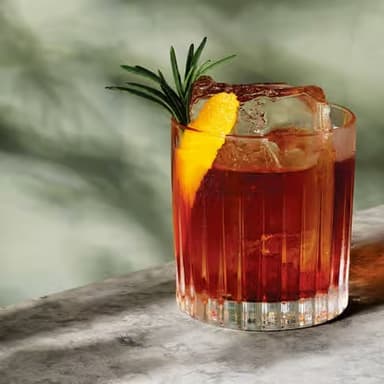
Negroni

$12

Gin, Campari, sweet vermouth

House favorite

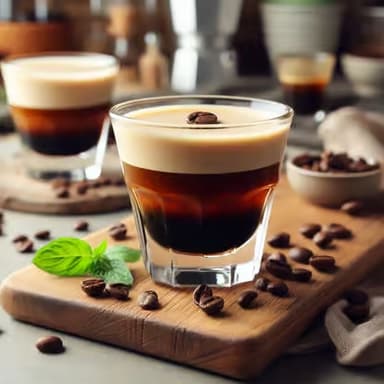
Espresso martini

$13

Vodka, coffee liqueur, fresh espresso

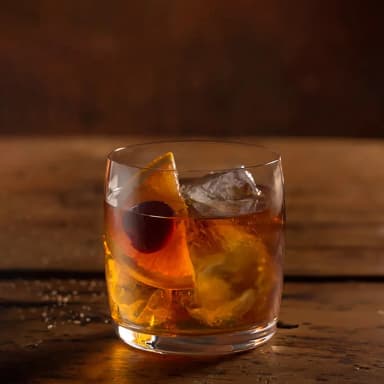
Smoked old fashioned

$14

Bourbon, demerara, applewood smoke

Chef's pick

Paloma

$11

Tequila, grapefruit soda, lime

Bites

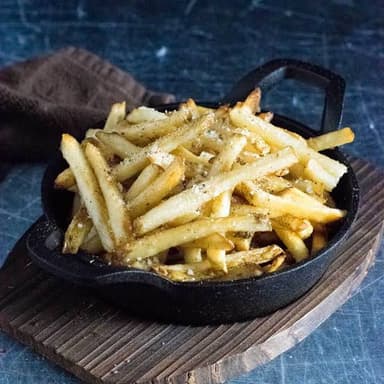
Truffle fries

$8

Parmesan, herbs, truffle oil

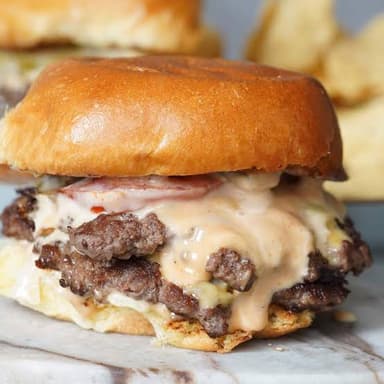
Smash sliders

$12

Two patties, melted cheese, pickles

Marinated olives

$5

Citrus zest, rosemary

Chicken wings

$10

Sticky glaze, sesame, scallion

Zero proof

Ginger fizz

$7

Fresh ginger, lime, soda

Cucumber cooler

$7

Cucumber, mint, tonic

Digital menu by Menoodo

How the import works

  1. 1

    Paste your ola.click address

    The address of your OlaClick menu — yourrestaurant.ola.click, any page of it. Menoodo reads the menu straight from OlaClick — no export, no spreadsheet.

  2. 2

    Review before anything is added

    Every category and dish shows up ticked in a preview. Untick what you don't want, check the prices, then import. Nothing is written until you confirm.

  3. 3

    Print a QR code — or not yet

    Your menu goes live at its own link right away. Design a QR code in your colours when you're ready and keep it forever: the menu behind it is yours to edit.

What comes across from OlaClick

Exactly what your OlaClick menu carries — read directly, not guessed by AI.

Categories, in your order

Your visible categories become Menoodo categories in the order OlaClick shows them. Categories and dishes you have hidden on OlaClick stay hidden — they are not imported.

Prices and variants

A dish with several named variants becomes one dish with price options, shown from its lowest price. Prices are imported exactly as printed.

Photos, at full size

Each dish's first photo comes across at the largest size OlaClick serves, straight into your menu.

Names, descriptions, language and currency

Dish names and descriptions arrive as written. OlaClick also publishes the menu's language and currency, so the preview warns you if either differs from your restaurant settings.

What you gain by switching

A menu in every language

Enable the languages your guests read and let AI draft the translations — something an OlaClick menu doesn't offer. Guests switch language on the menu itself.

Your brand, not a template

Colours, fonts, logo and cover photo are yours to set, and the menu is a page any camera opens — no app to install.

See what guests actually read

Views per dish, per category and per language, with no cart required. Know which dishes and which languages earn their place.

Keep OlaClick running while you switch

The import only reads your public menu. Nothing on OlaClick changes, so you can test Menoodo with your real menu before swapping a single QR code.

Questions about leaving OlaClick

Which OlaClick link do I paste?
Your restaurant's ola.click address — yourrestaurant.ola.click — whichever page of it you have to hand. The menu has to be public on OlaClick, the same page your customers see.
Do I have to cancel OlaClick first?
No. Importing reads your published menu and changes nothing on OlaClick. Keep both until your new QR codes are on the tables, then cancel on your own schedule.
Does Menoodo take orders like OlaClick?
No. Menoodo is the menu your guests read — there is no cart, no WhatsApp ordering and no checkout. If you rely on OlaClick for orders, Menoodo replaces the menu, not the ordering.
Is the import free?
The free plan includes one menu import, which is what a switch needs; the paid plans include ten or thirty a month. The free plan holds 30 dishes — for a bigger menu, tick the ones you want in the preview or pick a paid plan, which keeps every dish.
What if something is missing or wrong?
The preview shows everything before it is added, and every dish is editable afterwards. If OlaClick can't be reached at the moment you import, save the menu page as a PDF and upload it — AI reads that instead.

Bring your menu over tonight

Paste your ola.click address, review, import. Free to start, no card required.